
What's new in Rise-X
This release gives dashboard owners clearer control over who sees their dashboards, makes AI document processing handle more of the files you already have, and keeps access intact when configuration moves between environments. Applies to: API v3.77.0, Shell v3.77.0, Diana AI v1.0.0.
Share dashboards with clear owner and viewer roles
Each person on a dashboard is now an Owner, who can change it, or a Viewer, who can read it. You can share a dashboard with a whole company, and mark it Public or Private. Find these options under Manage dashboard.
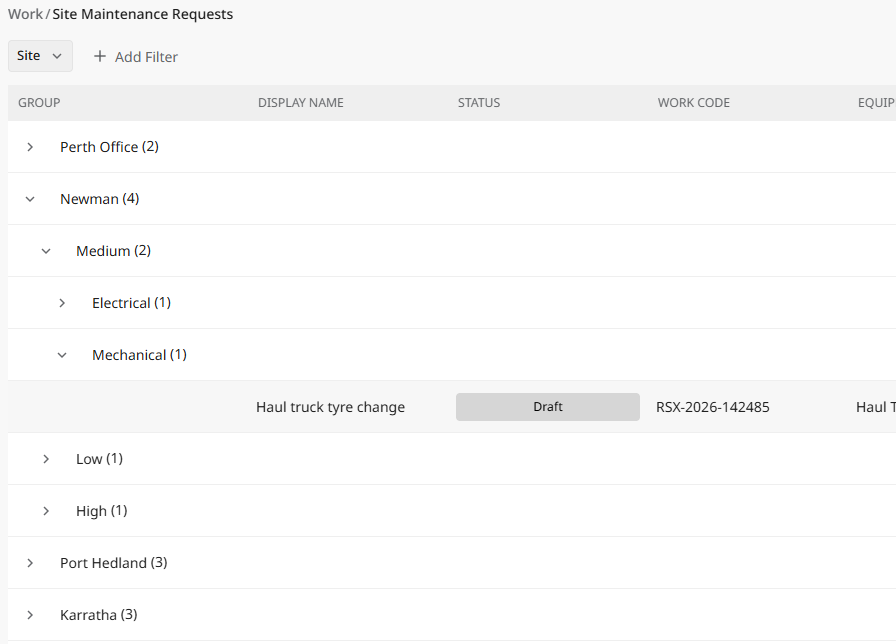
Keep your expanded groups when you come back to a list
This features improves the behaviour of a table when rows are grouped.
The table grouping and expanded/collapsed groups are preserved when navigating.
Send more kinds of files to AI document processing
Enhancements have been made to Rise-X Apps for how they process documents for solutions such as expense and invoice management. Data extraction reads email files saved from Outlook or other mail apps, alongside Excel and CSV files. Data that is processed is stored to a folder of the users’ choosing, and files that cannot be read are skipped instead of stopping processing from completing.
See accurate progress while documents process
The progress steps shown while Diana works on your files now describe what is happening to any file type, and the longer steps report progress too.
Fixes
- Deploying a workflow or layout to another environment no longer changes who can see it in the target environment.
- Deploying a workflow no longer removes its owning company, which stopped people from creating or editing records of that type.
- A guest who registered with their invited email address no longer gets an error when setting a password.
- Records that a spreadsheet import created are now visible only to the importing company.
- The expanded-properties switch in Manage dashboard no longer shows an out-of-date setting.