
What's new in Rise-X
This release brings groups: give access to a named group of people once and use it across workflows, assets, dashboards and apps. It also lets you run several companies from one account and fixes downloads that saved with broken file names. Applies to: API v3.83.0, Shell v3.83.0, Diana AI v1.6.0.
Manage access with groups
Instead of adding people one by one, you can now put them in a group and give the group access. Ecosystem owners manage groups under Settings › Ecosystem › Groups, and company owners under Settings › Company › Groups. You can create, rename and delete groups, add and remove members, and see everywhere a group is used.
The roles your ecosystem already had have been turned into groups, so you'll find them on the Groups page with the same people in them.
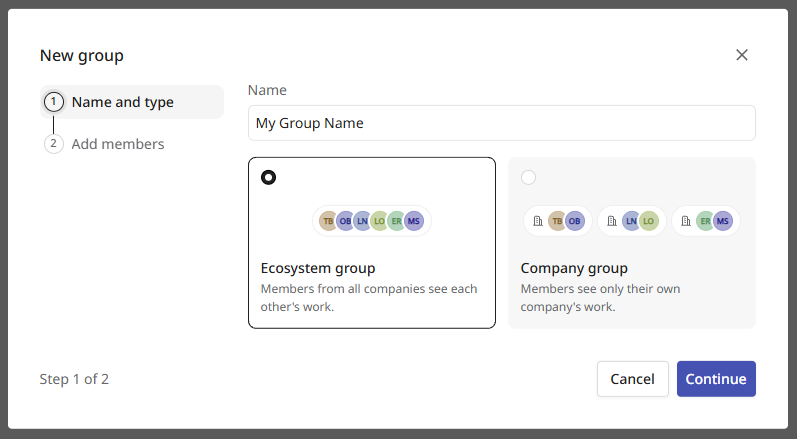
Share with a group or a whole company
When you share a work item, task, asset, dashboard or app, you can now pick a group as well as people and companies, and give it the same rights a person would get. You can also share a work item or task with a whole company. Each item lists the groups it's shared with and their roles.
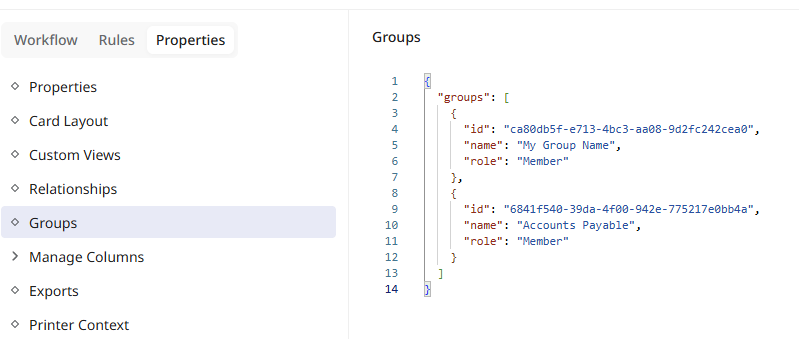
Choose a workflow's groups in the Builder
Workflow owners pick which groups can open a workflow's items from the new Groups node in the Builder. When you publish, the change applies to the items that already exist as well as new ones.
Fill groups from subscriptions
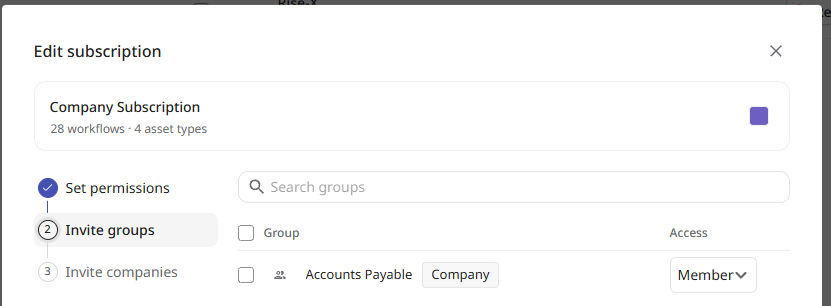
Subscriptions are now set up step by step, and each subscription can name the groups its people join and a colour. Groups filled this way stay up to date as people subscribe or leave.
Run more than one company
If you own several companies, a company switcher in Settings lets you pick which one you're working on. Company owners can create a new company, delete one they no longer need, invite people to their company by email, and manage billing for the company they pick.
Fixes
- Downloaded files could save with a broken name, such as "file.msg_v=1". They now keep their real name and extension.
- Someone made an Ecosystem Orchestrator didn't see their new menus until they signed out and back in. They now appear straight away.
- Changes made offline and still waiting to sync could be lost when the app reloaded. They are now kept.
- Searching assets with several filters could miss matches. It now finds them.
- People with access to an asset couldn't always open it. They now can.
- Printing a work item with many details could time out. It now prints.